Hide My Email: How Apple’s Disposable Email Aliases Keep Shopping and Returns Out of Your Primary Inbox
Apple Hide My Email creates disposable aliases that forward to your inbox, reducing spam and exposure; learn how to create, manage, and retire aliases safely.
Hide My Email debuted as part of Apple’s privacy-forward iCloud+ suite and quickly became a practical tool for anyone who wants to stop using their primary address for every online signup. Hide My Email lets iPhone, iPad and Mac users generate unique, randomized email aliases that route messages to their real inbox without revealing it to the sender. For routine e-commerce tasks—discount signups, order confirmations and return labels—these one-off addresses significantly reduce the volume of long-term marketing mail and limit how widely your primary email circulates across marketing lists and data brokers.
Related Post




Below, we walk through how Hide My Email works, step-by-step setup and best practices for shopping and account management, how to retire or remove aliases, and what this trend toward disposable addresses means for privacy, commerce and the developer ecosystem.
How Hide My Email Actually Works
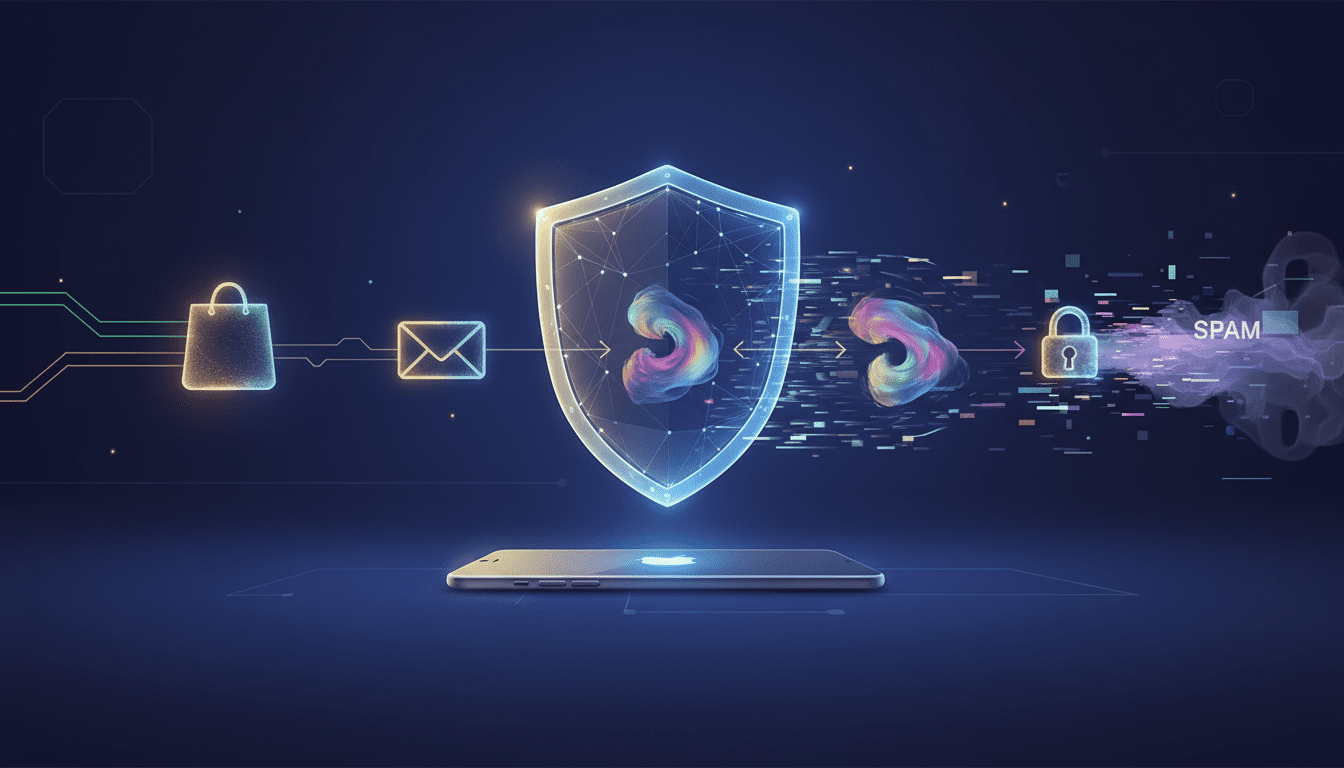
Hide My Email creates a unique, randomized address—an alias—that you can give to a website or store instead of your real email. Messages sent to that alias are forwarded to your actual iCloud inbox. From the sender’s perspective they have a valid address to reach you, but they never receive your true email, and you retain the ability to disable or delete the alias at any time. Forwarding preserves message delivery for order updates or customer-service threads while decoupling your permanent address from marketing databases and potential data leaks.
Technically, Apple operates the alias and routing infrastructure within the iCloud ecosystem. That layer intercepts and forwards inbound mail to your primary email while masking the underlying destination. The mechanism is simple from a user point of view but powerful for limiting exposure across large merchant and promotional networks.
Setting Up an Alias on Apple Devices
To use Hide My Email, you need an iCloud+ subscription; the feature is bundled with paid iCloud plans. Setting up an alias takes only a few taps on an iPhone or a couple of clicks on a Mac:
- Open Settings and tap your Apple ID name, then choose iCloud. Under iCloud+ features, select Hide My Email.
- Tap Create New Address and accept the auto-generated alias or generate a different randomized string.
- Add a descriptive label such as “Holiday Shopping 2026” or “Returns — ShoeSite” to remember why you created it. Labels are searchable and make it easier to track which merchant shared or leaked an address.
- Ensure the alias is configured to forward to your main inbox so you receive order confirmations and return labels without switching apps.
The same capabilities exist within Safari’s autofill and Mail compose flows in many Apple apps: when a site asks for your email, you can choose a Hide My Email alias on the fly. This streamlines one-off signups while maintaining privacy.
Practical Uses: Shopping, Returns and Short‑Lived Accounts
Hide My Email is particularly useful for scenarios that require a valid contact address temporarily:
- Promotional signups and coupons. Retailers often gate discounts behind an email capture; an alias lets you claim the offer without exposing your main address to long-term marketing.
- Order confirmations, shipment tracking and returns. Use a dedicated alias for order-related messages so crucial transactional emails still arrive, but marketing from resale partners won’t pollute your primary inbox.
- One-time or infrequently used services. When you open an account for a single event, a community marketplace or a seasonal market, a burner alias provides the necessary messaging channel without adding a permanent marketing contact.
- Marketplace or classified listings. If you prefer not to post your primary address publicly, an alias reduces direct exposure while enabling buyer or seller communications.
Because aliases can be grouped by label, you can reuse the same alias for related transactions (for example, all holiday purchases) and then disable that group when the season ends.
Managing and Retiring Aliases
The control Hide My Email gives you is where its real value lies. Aliases are not permanent traps: you can deactivate or delete them and stop incoming mail without touching your main email account.
- Deactivate when you want to stop new messages but preserve the label and history. Deactivation instantly blocks delivery to the alias; senders may receive a non-delivery notice. The address remains visible in your Hide My Email list and can be reactivated later if needed.
- Delete when you’re sure you’ll never need the alias again. Deleting is permanent and removes the address from your account, so plan accordingly if the alias is tied to services you may need to access later.
Best practice: label aliases clearly when you create them, reuse them judiciously for related sets of merchants, and deactivate only after you’ve confirmed there are no outstanding refunds or return windows that require delivery to that address. Deleting should be reserved for aliases that are truly obsolete.
Privacy and Security Trade‑Offs
Hide My Email lowers the risk that a data breach or merchant resale will expose your primary inbox to spam, phishing or credential stuffing attempts. That said, aliases are not a silver bullet:
- They don’t replace good password hygiene. If an alias is tied to an account with a weak or reused password, the alias won’t stop credential compromise. Use strong, unique passwords and two-factor authentication for important services.
- They don’t anonymize transactional data. Merchants still link purchases to whatever information you provide during checkout—name, shipping address, phone number—and those data points can be leaked separately.
- They don’t prevent account recovery attacks when your email is used as a recovery channel. If a secondary service authorizes account resets via the alias, a compromised alias could still enable unauthorized access unless you manage it carefully.
For most consumers, the principal security benefit is reducing the surface area of long-term marketing lists and third-party sharing. That alone can curtail volume-driven phishing and makes it harder for attackers to leverage your primary address as a pivot into more sensitive accounts.
Alternatives and Complementary Tools
Hide My Email joins a broader toolbox for managing email privacy. Alternatives and complementary approaches include:
- Email provider aliasing and plus addressing (for example, adding +labels in Gmail). These are low-friction options that many services already support.
- Third-party forwarding services such as SimpleLogin or AnonAddy, which provide cross-platform aliasing and more flexible control if you use multiple email providers.
- Dedicated burner inboxes for ephemeral signups. These are useful when you want total isolation from your primary account.
- Privacy network features like Apple’s Private Relay, VPNs and tracker blockers that reduce cross-site profiling and link tracking when browsing and signing up.
Hide My Email’s tight integration in Apple’s platform is its advantage: it’s simple, built into device workflows and requires no extra accounts or browser extensions. If you use non-Apple devices or want a provider-agnostic approach, third-party alias services offer comparable functionality with different trade-offs.
How Hide My Email Affects Retailers, CRMs and Developers
A surge in disposable addresses changes the data landscape for retailers and developers who rely on email for marketing, segmentation and lifecycle automation. Expect several operational impacts:
- CRM hygiene and analytics: Merchant CRM systems will see a proliferation of addresses that forward to the same inbox. Without additional signals, deduplicating and segmenting users by intent may require relying more on first‑party identifiers like customer accounts, phone numbers or device tokens.
- Deliverability and reputation: Mass adoption of aliases could alter sender reputations and bounce handling. Merchants should monitor deliverability metrics and respect unsubscribe preferences associated with forwarded aliases.
- Customer support workflows: Support teams need to be able to recognize aliases that are still active for transactional threads. Labels that customers add when creating aliases can help human agents and automation systems match correspondence to orders.
- Fraud detection and verification: Security teams that use email as a trust signal must adapt. An email alone becomes a weaker identity factor when users regularly use disposable addresses, so multi-factor identity checks and behavioral signals will play larger roles.
For developers, the shift underscores the value of building systems that accept multiple contact channels, prioritize secure authentication, and store only the minimal data necessary for service delivery.
Industry Context: Privacy Features Becoming Table Stakes
Hide My Email reflects a larger industry pivot: consumers increasingly expect privacy features baked into the platforms they use. Apple’s approach—integrating aliasing into iCloud+, bundling it with other privacy services like Private Relay, and surfacing it in user flows—illustrates how vendors turn privacy into a convenience feature.
As privacy regulations and consumer preferences evolve, we’ll likely see more platforms offering native aliasing, stronger consent mechanics and better controls around third‑party sharing. For marketers, this will mean pivoting toward consent-driven, first-party data strategies and away from broad third‑party acquisition tactics.
Who Should Use Hide My Email and When It’s Most Helpful
Hide My Email is especially useful for:
- Frequent online shoppers who want to limit marketing volume.
- Users who create many short-lived accounts for events, marketplaces or single-use services.
- People who prefer not to expose their primary email in public listings or classified ads.
- Anyone who wants a low-effort way to separate transactional mail (orders, returns, receipts) from promotional noise.
It’s less useful if you need a permanent, recoverable contact for critical services (banking, government, primary work accounts), where a stable, verified email and robust authentication are essential.
Practical Workflow Tips for Everyday Use
Adopt a few small habits to get the most value out of Hide My Email:
- Create a small set of purposeful aliases rather than a new address for every little site: one for payments/receipts, one for coupons/newsletters, one for social/marketplaces.
- Use clear labels when you create aliases so you can spot the source if spam later appears. Labels let you trace which merchant likely shared or sold the address.
- Check your alias list periodically and deactivate addresses tied to inactive merchants or expired warranties and return windows.
- Combine aliasing with a password manager and two-factor authentication to harden the most sensitive accounts.
- If you run a small business or support team, document how your customers might use aliases and make it easy for support staff to verify orders that arrived via forwarded addresses.
Broader Implications for Users and Businesses
The rise of disposable email addresses nudges the internet toward a privacy-first model where permanence is optional and consumers reclaim greater control over their contact points. For businesses, this trend requires rethinking engagement strategies: email remains useful, but marketers must prioritize permissioned, value-driven messaging and alternative identifiers. For developers and architects, systems must be resilient to aliasing and rely less on email as an immutable primary key.
On the user side, these tools lower the barrier to protecting personal data and mitigating the downstream effects of breaches and unwanted marketing. They also shift the balance of power: when users can turn off an address that a merchant sold to a third party, that merchant’s incentive to monetize customer lists diminishes.
As email aliasing becomes more common, it will also expose gaps in cross‑platform interoperability and CRM design; expect vendors to release better developer hooks and APIs to manage alias metadata and verify legitimate transactional threads without violating user privacy.
Looking ahead, privacy features like Hide My Email may converge with identity standards and federated account models, enabling users to expose verifiable signals (like “order confirmation accepted”) without sharing raw contact details. That could unlock smoother customer experiences while preserving privacy.
Apple’s Hide My Email is a pragmatic, low-friction tool for reducing inbox clutter and minimizing the long-tail risks of sharing your primary address. Used alongside strong passwords, two-factor authentication and cautious data-sharing habits, it reduces one of the most common vectors for spam and opportunistic account probing. As privacy-minded controls become a standard expectation, both consumers and businesses will need to adapt workflows and systems to a world where email addresses are ephemeral, purposeful, and under the owner’s control.
The next few years will likely bring broader platform support for disposable addresses, more nuanced CRM handling of forwarded mailstreams, and new developer APIs for safely routing and labeling transactional messages—changes that will reshape how companies collect and retain customer data while giving individuals more practical tools to manage their online identities.