

Playground Blueprints: Build Interactive WordPress Theme Demos with Live Previews and Sandboxed Testing
Build interactive WordPress theme demos with Playground Blueprints, a toolkit for live previews, customization, and developer-ready sandbox environments.
Why interactive WordPress theme demos matter




Playground Blueprints addresses a growing expectation from designers, developers, and product teams: prospective users want to try a theme, not just see screenshots. An interactive WordPress theme demo gives visitors a hands-on preview of layout, customization options, and content flows before they commit to a purchase or download. That immediacy shortens decision cycles, reduces support friction, and reveals usability issues that static images and marketing copy miss. For theme creators, the ability to present realistic, configurable demos—complete with sample data, preset styles, and controlled edit surfaces—translates directly into higher conversion and lower churn.
Interactive demos also change the developer workflow. Rather than maintaining a single demo site that gets out of sync with releases, Playground Blueprints offers a repeatable way to generate sandboxed preview sites that mirror production conditions. This is particularly valuable for block-based themes, complex integrations, and themes that rely on custom post types, widgets, or third-party plugins.
How Playground Blueprints works
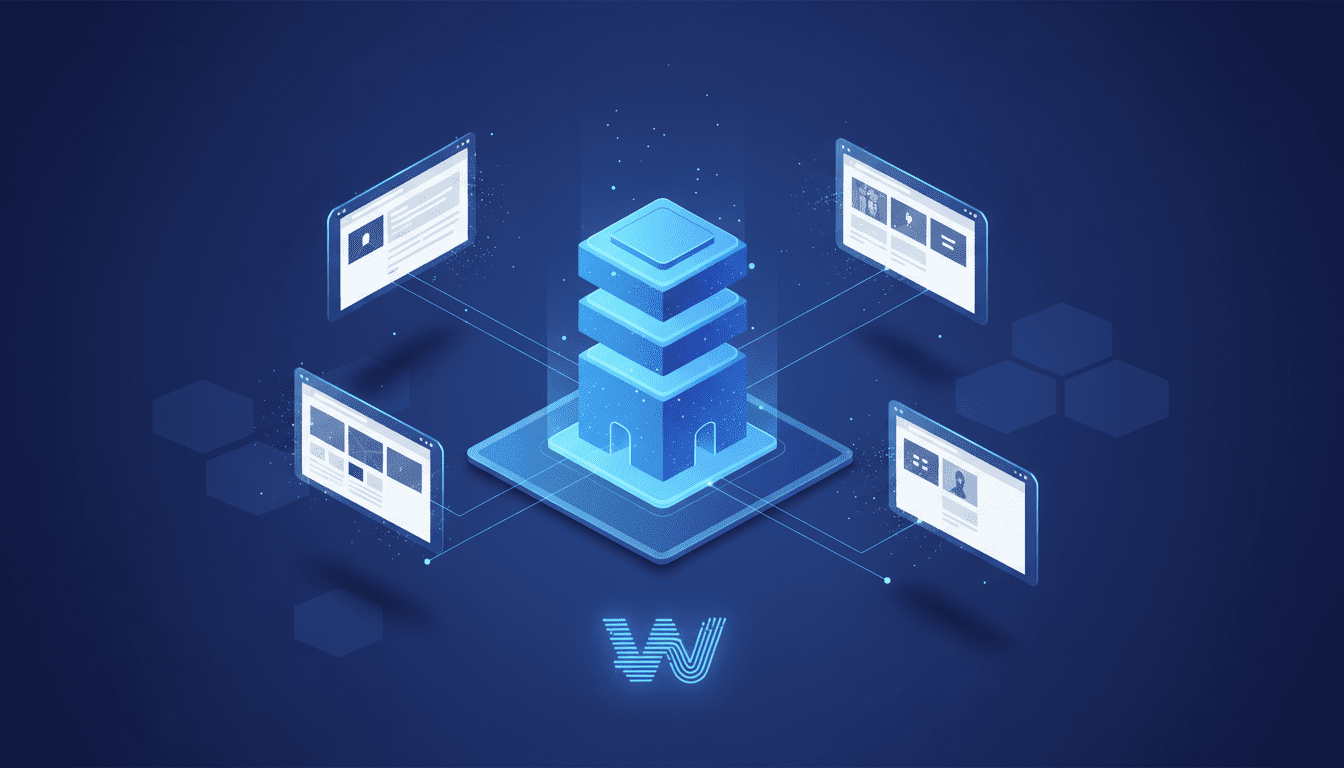
At a high level, Playground Blueprints is a declarative toolkit for defining reusable demo environments for WordPress themes. A blueprint describes the site state you want to present: which theme and child theme are active, which plugins are enabled, what sample content and media are imported, what widget and menu positions are populated, and what customizer or block editor settings are applied. When executed, the system generates an isolated WordPress instance (a sandbox) configured according to the blueprint and exposes a live preview URL that users can interact with.
This approach separates the authoring of demo scenarios from their runtime. Theme teams write blueprints that reflect common user intents—like "portfolio setup", "online store sample", or "blog with featured posts"—and then spin up environments on demand for marketing pages, product listings, or support reproductions. Under the hood, Playground Blueprints typically orchestrates containerized WordPress instances or ephemeral multisite subsites, automates content import via WXR/JSON fixtures, and programs the Customizer or Gutenberg editor state using the WordPress REST API or WP-CLI.
Setting up a Playground Blueprints project
Getting started requires three pieces: a blueprint definition, the theme artifact (zip or repository), and a mechanism to spin up sandboxes. Blueprint definitions are usually YAML or JSON files describing assets, activation steps, and UI presets. A minimal blueprint includes:
- Theme reference and activation command
- Required plugins and their activation order
- Demo content fixtures (posts, pages, menus, media)
- Widget and menu placements
- Customizer or theme-mod values
- Optional user roles and sample accounts
After authoring the blueprint, you link it with an orchestration engine—this might be a hosted service, a CI job, or a local CLI that builds containers. For teams that prefer local development, Playground Blueprints can be integrated into Docker Compose setups or local WordPress stacks. For public demos, the orchestration layer should offer ephemeral URL generation, routing, and access controls so that each visitor receives a clean, isolated experience without risking the core demo state.
Designing blueprints and demo scenarios
Blueprints should be written with clarity about audience and intent. Think through the scenarios you want to highlight: the homepage layout, the shop flow, the customization of colors and fonts, or the behavior of complex page templates. Each scenario becomes a named blueprint—examples might be "Photography Portfolio", "WooCommerce Starter", or "Magazine Grid".
When designing blueprints:
- Start from a canonical content set that demonstrates the theme’s strengths: varied images, long-form posts, custom taxonomies, and sample menus.
- Use realistic media sizes and aspect ratios so the layout behaves as it would for customers.
- Include at least one blueprint that uses default content to show how the theme looks out-of-the-box.
- Create targeted blueprints that showcase specific features like post formats, widget areas, or featured content queries.
A well-crafted blueprints library enables marketing to link users directly to the scenario that matters most to them—improving relevance and engagement.
Populating demos with realistic content
Demo fidelity relies on convincing content. Use structured fixtures rather than ad-hoc imports to ensure consistency across sandboxes. Fixtures should include:
- WXR or JSON exports for posts, pages, and custom post types
- Media archives with properly licensed images optimized for web delivery
- Taxonomies, terms, and menu structures
- Customizer settings and theme_mod values
- Plugin configuration data (e.g., WooCommerce product catalogs or SEO plugin settings)
Automation is essential. Blueprints should include scripting to run WP-CLI commands post-import to set permalink structures, regenerate image sizes, create sample users, and flush caches. Where possible, inject dynamic placeholders—like generated dates or randomized author names—to make each sandbox feel unique yet reproducible.
Integrating with WordPress Customizer and Gutenberg
Two of the most important touchpoints for theme demos are the Customizer and the block editor. Playground Blueprints should programmatically set Customizer values so that the live demo reflects curated color palettes, typography, and layout options. Using the theme_mod API via WP-CLI or direct database writes allows you to prepopulate these options during provisioning.
For themes leveraging Gutenberg or block-based templates, blueprints can import block JSON templates, pattern libraries, and content that demonstrates block behavior across device sizes. If your theme exposes block variations or custom blocks, include a blueprint that demonstrates dynamic block settings and editor-side tooling. Consider provisioning editors with a preloaded demo post that highlights complex blocks and shows how they adapt when users toggle alignments, spacing, or responsive settings.
Developer workflows and automation
Playground Blueprints fits naturally into modern development pipelines. Keep blueprints in source control alongside theme code and treat them like tests: update blueprints when you add features or change templates. Common automation patterns include:
- CI pipelines that validate blueprints against the current branch and fail if provisioning errors occur.
- Automated screenshot tests of each blueprint using headless browsers to detect CSS regressions.
- Versioned blueprint artifacts so support can repro bugs against precise theme versions.
- A preview channel where pull requests spawn temporary demo sandboxes for design review.
These practices not only improve demo quality but also provide fast, reproducible environments for debugging misconfigurations, plugin conflicts, and performance regressions.
Deployment, hosting, and access control
How you host sandboxed demos affects cost, privacy, and user experience. Options range from ephemeral containers on cloud providers to managed demo platforms. Key considerations:
- Ephemerality: sandbox instances should be short-lived or recycled to control costs and avoid stale data.
- Isolation: each sandbox must be isolated at the application and data level to prevent cross-tenant leakage.
- URL management: create friendly preview URLs (e.g., theme.example.com/blueprint-name/instance-id) and invalidate them when sandboxes are destroyed.
- Authentication: for premium themes, gate demos behind a lightweight sign-up or token-based access; for public product pages, allow anonymous read-only interactions.
- Scaling: implement queuing or rate limits if demo provisioning is resource-intensive.
Integrating blueprint orchestration with CDN-backed media storage and object caching helps keep performance consistent across instances, which is important for user perception during evaluation.
Measuring engagement and conversions
A demo is not just a demo; it’s a conversion channel. Instrument your sandboxes to capture meaningful metrics while respecting privacy:
- Track which blueprints attract the most interactions and which UI controls users change.
- Measure session length, route flows (e.g., how many users navigate to a specific template), and conversion events like clicks on purchase or download buttons.
- A/B test blueprint variations—different homepages, content density, or default color schemes—to learn what drives engagement.
- Capture technical signals such as load time per blueprint and sample device distribution to prioritize optimization.
These insights inform product prioritization and marketing messaging: if users frequently toggle typography settings but rarely visit a feature page, you might surface typographic customizations earlier in your product narrative.
Security and performance considerations
Running dynamic demo environments introduces security responsibilities. Sandbox provisioning must validate uploaded assets, sanitize imported content, and restrict outbound network access where necessary. Use container-level security features, remove admin-level credentials from public previews, and routinely scan blueprint artifacts for sensitive information.
Performance testing should be part of blueprint validation. Measure TTFB, full-page load, and critical rendering path for each blueprint since demo performance reflects on the theme’s perceived quality. Employ image optimization, lazy loading, and server-side caching strategies in the provisioning pipeline to ensure demos are representative of best practices.
Who can use Playground Blueprints and when it makes sense
Playground Blueprints is relevant for a range of roles across the WordPress ecosystem:
- Theme authors who need repeatable demo generation for marketplaces or storefronts.
- Agencies that want client-facing previews tailored to specific projects.
- Product managers and marketers who rely on interactive experiences to demonstrate feature sets.
- Support teams that require reproducible environments for troubleshooting.
Adopt blueprints when you need reproducibility, quicker iteration of demo content, or better alignment between marketing and engineering. If your theme has multiple configuration paths (e.g., blog, e-commerce, portfolio), blueprints drastically simplify showcasing each path without maintaining separate long-running demo sites.
How Playground Blueprints compares to alternatives
Traditional demo approaches include a single curated demo site, multiple static demos, or manual provisioning of preview instances. Each has trade-offs:
- Single curated demo: low maintenance but inflexible and prone to drift.
- Static demos (screenshots, videos): economical but poor at conveying interactivity.
- Manual provisioning: flexible but time-consuming and inconsistent.
Playground Blueprints blends automation with reproducibility, reducing maintenance overhead while improving fidelity. Compared to more heavyweight staging infrastructure, blueprints enable lighter-weight, scenario-focused sandboxes that are easier to scale and integrate into CI/CD.
Developer tools and ecosystem integrations to consider
Playground Blueprints is most effective when it interoperates with related developer tools and platforms. Integrations to explore:
- CI/CD systems for automated provisioning and regression testing.
- Headless CMS or REST API setups for themes designed to work with decoupled frontends.
- Marketing automation and CRM platforms for capturing demo user intent.
- Analytics suites tuned for ephemeral environments.
- Security scanners and automated dependency checks to prevent vulnerabilities in demo stacks.
For teams building modern workflows, the blueprint model complements developer tooling like linters, automated accessibility checks, and screenshot diffing tools.
Broader implications for theme developers and businesses
Blueprint-driven demos shift how themes are marketed, evaluated, and supported. For developers, reproducible sandboxes make bug reproduction and regression testing far more deterministic—reducing the back-and-forth during support. For product teams, granular blueprint analytics reveal which configurations are most persuasive, informing pricing, documentation, and feature roadmaps.
On the business side, high-fidelity interactive demos lower the barrier to purchase by offering a near-product experience without installation friction. Agencies can prototype client sites using predefined blueprints, accelerating time-to-approval and reducing rework. Marketplaces benefit from standardized demo protocols that make it easier to surface consistent previews across thousands of listings.
This model also nudges the industry toward better practices around content licensing, privacy, and performance. As more demos rely on realistic media, teams must adopt clear licensing practices; as demos collect engagement data, privacy-safe instrumentation becomes critical; and as demo performance affects conversion, optimization becomes a first-class concern for theme authors.
Practical questions answered: what it does, how it works, why it matters, who should use it, and when to adopt
Playground Blueprints automates the creation of interactive WordPress theme demos by describing desired demo states and provisioning sandboxed WordPress instances accordingly. It works through declarative blueprints paired with an orchestration layer that applies themes, imports content, and configures settings using WP-CLI, REST APIs, and container tooling.
It matters because it raises demo quality while lowering maintenance: prospects get realistic hands-on experiences, teams avoid fragile single-demo sites, and support can reproduce issues against exact blueprint states. Theme authors, agencies, marketing teams, and support engineers will find value in adopting blueprints. Consider integrating blueprints when your theme has multiple configuration paths, when you need reproducible QA environments, or when your demo infrastructure becomes a bottleneck for marketing and sales workflows.
Recommendations for implementing a blueprint strategy
- Keep blueprints in version control and tie them to theme releases.
- Automate provisioning and teardown to control costs.
- Use standardized fixtures for content and media to avoid licensing headaches.
- Add CI checks that provision a sandbox for each pull request to catch regressions early.
- Monitor demo engagement and iterate on blueprint scenarios based on data.
- Limit admin privileges on public previews and enforce ephemerality for privacy.
Adhering to these practices turns demos into a measurable, maintainable asset rather than an afterthought.
Playground Blueprints represents a pragmatic evolution in how WordPress themes are demonstrated and inspected. By codifying demo scenarios, automating sandbox creation, and tying demos into development workflows, theme teams can present realistic, interactive previews that educate buyers, speed up reviews, and improve support outcomes. As the WordPress ecosystem continues to embrace block-based design, dynamic templates, and full-site editing, the need for reliable, high-fidelity demos will grow; blueprints and similar infrastructure will play a central role in meeting that demand while enabling teams to iterate faster and market with confidence.















