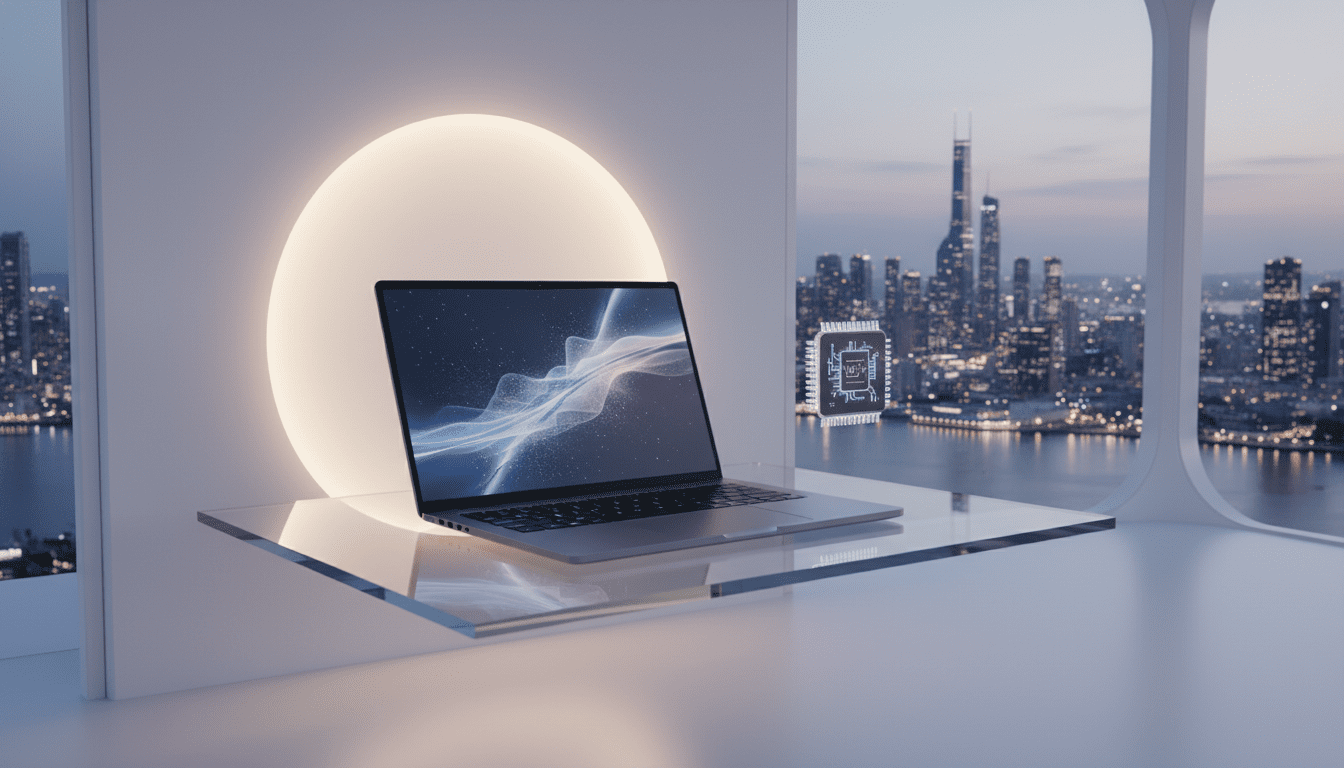
MacBook Neo: Apple’s $599 A18 Pro Laptop Brings Premium Aluminum Build, Fanless Silence, and On‑Device AI
Apple’s MacBook Neo starts at $599, pairing an A18 Pro chip, 13-inch Liquid Retina display, fanless design, and on-device Apple Intelligence for everyday users.
Why the MacBook Neo matters
Apple’s MacBook Neo reshapes the company’s entry-level lineup by combining an exceptionally low starting price with design and feature choices usually reserved for pricier machines. The Neo bundles an A18 Pro system-on-chip, a 13-inch Liquid Retina panel, and macOS Tahoe with Apple Intelligence into an all‑aluminum chassis that weighs about 2.7 pounds—positioning the device squarely at people who want a Mac with premium materials and on‑device AI but without a four‑figure tag. For students, first‑time Mac buyers, and anyone upgrading an older laptop, the Neo promises many of the day‑to‑day benefits of higher‑end models while trading away a few pro‑grade conveniences.




What’s in the box and the two price tiers
Apple lists the Neo’s base configuration at $599 and a higher tier at $699 that bundles a 512 GB SSD and Touch ID; education pricing is reported at $499. The base model ships with 256 GB of storage, 8 GB of unified memory that cannot be upgraded, and a 20 W USB‑C charger similar to Apple’s iPad chargers. Either USB‑C port can charge the unit.
Design and color treatment
The Neo departs from muted entry‑level conventions by offering a full‑aluminum enclosure in four eye‑catching finishes: Blush, Indigo, Silver, and Citrus. Apple has coordinated color accents across keys, rubber feet, wallpapers, and small UI details, making color part of the product’s identity rather than a paint‑job alone. The laptop measures roughly 0.5 × 11.7 × 8.1 inches and tips the scales at about 2.7 lbs (1.22 kg). Notably, Apple achieved this metal construction while using large percentages of recycled materials: the company reports 60% recycled content overall, including 90% recycled aluminum and 100% recycled cobalt in the battery.
Display deep dive
A headline attraction is the Neo’s 13‑inch Liquid Retina display. That panel runs at 2408 × 1506 pixels, yields up to 500 nits of brightness, supports roughly 1 billion colors with a 10‑bit depth, and covers about 96% of the sRGB gamut. Those figures put the Neo’s screen ahead of most sub‑$600 Windows laptops, especially for color depth and brightness. To reach the $599 entry price Apple omitted several premium display features: there’s no HDR support, no True Tone automatic color adjustment, no nano‑texture anti‑reflective option, and the screen refreshes at a fixed 60 Hz rather than Apple’s 120 Hz ProMotion. These trade‑offs make the panel excellent for reading, video streaming, and general photo work, while pro video editors and colorists will still prefer higher‑spec Air or Pro models.
Performance and the A18 Pro
Under the hood the Neo runs Apple’s A18 Pro: the SKU in this machine is described as a 6‑core CPU paired with a 5‑core GPU and a 16‑core Neural Engine. Apple’s approach appears to use A18 Pro silicon binned from iPhone production—functioning chips with one GPU core disabled—so the Neo’s GPU count differs from the A18 Pro in iPhone 16 Pro. In everyday workflows—web browsing, document editing, streaming, light photo edits, and multitasking—the Neo’s A18 Pro handles tasks smoothly. It also supports App Store and Apple Arcade titles optimized for the A18 Pro, though it won’t sustain high‑frame‑rate performance on demanding AAA games. On tasks like long‑running video transcoding, the Neo trails more powerful systems such as the MacBook Air with Apple silicon chips tuned for heavier sustained workloads.
Ports, speeds, and connection limits
Apple trimmed wired connectivity to help hit the low price. The Neo exposes two USB‑C ports on the left edge and a 3.5 mm headphone jack; there are no Thunderbolt ports. The two USB‑C sockets are asymmetric: the rear (closer to the hinge) port supports USB 3.2 Gen 2 at up to 10 Gb/s and carries DisplayPort 1.4 output for external monitors up to 4K, while the front port is USB 2.0 at 480 Mb/s. macOS will flag the front port if you attach high‑bandwidth storage to it. Both USB‑C connectors can accept charging power. For wired docks, multiple external drives, or high‑performance display workflows that rely on Thunderbolt docks, the Neo’s port choices will be limiting; users should plan to connect an external display to the rear port and use a hub for additional peripherals. Wireless connectivity includes Wi‑Fi 6E and Bluetooth 6.
Battery life, thermals, and noise
Apple advertises battery life up to 16 hours for the Neo. The design is fanless, so the chassis is silent in use; heat is dissipated passively through the aluminum body. That fanless approach contributes to a completely silent experience but also means the A18 Pro can throttle under sustained heavy loads. Users are advised to place the Neo on a hard surface during prolonged gaming, rendering, or extended video calls, because soft surfaces trap heat and accelerate thermal throttling. Enabling Low Power Mode and optimized battery charging can extend battery endurance and protect long‑term battery health.
Camera, audio, and input devices
The Neo includes a 1080p FaceTime HD camera without Center Stage or a notch. Audio is handled by dual side‑firing speakers with support for Spatial Audio and Dolby Atmos and dual microphones for voice capture. The keyboard is Apple’s Magic Keyboard with color‑matched keys but no backlighting on the base model; backlighting is absent entirely in the Neo’s base configuration. The trackpad uses a mechanical click mechanism rather than Apple’s Force Touch haptic surface. Touch ID is not standard on the $599 base unit—Apple offers Touch ID only on the $699 512 GB configuration—but users of an Apple Watch can enable automatic unlock on the base model when both devices share the same Apple ID.
Storage and memory tradeoffs
The Neo ships with 8 GB of unified memory that is soldered and not user‑upgradable. Base storage is a 256 GB SSD, and the $699 option upgrades storage to 512 GB alongside Touch ID. Because macOS uses SSD space for swap, filling the internal drive can reduce performance; Apple’s configuration encourages users who expect heavier local storage needs to consider the larger 512 GB option or an external SSD.
Software features and on‑device AI
The Neo runs macOS Tahoe, which incorporates Apple Intelligence and on‑device AI capabilities. The device benefits from iPhone integration features such as Continuity Camera and iPhone Mirroring; Continuity Camera makes an iPhone available as a higher‑quality webcam option, and iPhone Mirroring allows full interaction with an iPhone from the Mac’s desktop. Spotlight in macOS Tahoe also expands utility (for example, quick math and unit conversions) and the OS exposes native options for automatic updates, FileVault encryption, and Time Machine backups.
Strengths and trade‑offs
Apple’s design choices produce a distinctive balance. On the positive side, the Neo delivers an all‑aluminum chassis at an entry price, a display that outperforms most low‑cost competitors, long real‑world battery life, silent operation, and on‑device AI features. The concessions are concrete: no keyboard backlight on the base model, no Thunderbolt, a slow front USB port, only 8 GB of non‑upgradable RAM, mechanical click trackpad rather than Force Touch, and missing display luxuries like HDR, True Tone, and ProMotion. Touch ID requires the higher $699 configuration, though Apple Watch unlock provides a partial alternative on the base unit.
How the Neo compares to the MacBook Air M5
Put head‑to‑head with the MacBook Air M5, which starts at a significantly higher price point, the Neo trades professional features for accessibility. Both machines offer similar display brightness and comparable weights, but the Air M5 uses an M5 chip, starts with 16 GB of RAM in many configurations, offers larger base storage, includes a backlit keyboard, Touch ID, Thunderbolt ports, and a higher‑spec camera. The Air targets users who need heavier multitasking, sustained performance, Thunderbolt‑based docks, and more robust media capabilities; the Neo is tailored to users whose everyday workflows—browsing, writing, streaming, light photo editing, and casual gaming—don’t require those extras.
First‑day setup: nine recommended adjustments
Apple and reviewers suggest a short set of post‑out‑of‑the‑box changes that improve experience and security:
- Enable automatic software updates so macOS installs security patches automatically.
- Turn on FileVault to encrypt local data and note the recovery key.
- Allow apps from identified developers as well as the App Store to broaden install options.
- Enable optimized battery charging to preserve battery health.
- Schedule Night Shift to reduce blue light in the evening.
- Configure hot corners for quick access to actions like Lock Screen or Mission Control.
- Enable a three‑finger drag gesture to simplify window and file movement.
- Show the Finder path bar to keep track of file locations.
- Set up Time Machine with an external drive to maintain automatic backups.
These steps can be completed in roughly 15 minutes and address security, battery longevity, and usability.
Practical tips and workflows
Owners should prioritize a few practical habits to get the most from the Neo. Always plug external monitors into the rear USB‑C port to take advantage of the faster 10 Gb/s connection and DisplayPort output. Use a hub to expand the Neo’s limited port set. Keep 20–30 GB of free space on the internal SSD to avoid heavy swap use that slows the system. Prefer Safari or Firefox over memory‑intensive browsers like Chrome when juggling many tabs on 8 GB of RAM, and monitor resource use via Activity Monitor to identify apps that tax memory or CPU. For better webcam quality on calls, use Continuity Camera to leverage a compatible iPhone.
Environmental profile
Apple positions the Neo as its lowest‑carbon MacBook to date. The company cites 60% recycled content overall, including 90% recycled aluminum for the chassis and 100% recycled cobalt in the battery. The enclosure manufacturing process reportedly uses 50% less aluminum than traditional machining, and Apple states that roughly 45% of the electricity used across the Neo’s supply chain comes from renewable sources; packaging is entirely fiber‑based and recyclable.
Industry and developer implications
The MacBook Neo’s arrival signals a notable shift in Apple’s hardware pricing and market segmentation. By delivering much of the look and many features of a more expensive Mac at a substantially lower price point, Apple opens the platform to users who previously faced a steeper financial threshold for entry. For developers and ecosystem partners, a wider installed base of capable, Apple‑centric devices means more potential users for App Store apps, Apple Arcade titles, and apps optimized for on‑device machine learning. At the same time, the Neo’s hardware trade‑offs—limited RAM, no Thunderbolt, and a front USB‑C port with USB 2.0 speeds—will shape how developers design and recommend workflows; resource‑sensitive desktop software and high‑bandwidth peripheral strategies may still require higher‑end Macs.
For businesses and IT teams, the Neo can serve as an attractive option for bulk deployments where basic productivity, device management, and long battery life matter more than Thunderbolt peripherals or high RAM configurations. Education buyers also benefit from a reported $499 price point, making classroom adoption or student purchases more accessible.
Apple’s continued emphasis on on‑device AI through macOS Tahoe and Apple Intelligence suggests software and developer toolchains will increasingly include local model inference and neural acceleration as part of core workflows. The Neo’s 16‑core Neural Engine and A18 Pro silicon enable these features on an affordable Mac, bringing AI‑enhanced functionality—such as local assistants, smarter Spotlight behavior, or device‑side data processing—to more users without pushing workloads into the cloud.
Who should pick the MacBook Neo
The MacBook Neo is aimed at everyday users whose work revolves around browsing, writing, media consumption, light photo editing, and app‑store gaming. Students, first‑time Mac buyers, people replacing older Windows laptops, and users who prioritize an aluminum build, long battery life, and silence over expandability and pro features will find the Neo compelling. Buyers who need heavy multitasking, video editing at scale, professional docking, or extensive local storage and RAM upgrades should consider higher‑end MacBook Air or Pro models instead.
Apple’s configuration choices make practical recommendations clear: choose the $699 configuration if you want Touch ID and more storage, rely on an Apple Watch to unlock the base model if you prefer not to pay for the Touch ID upgrade, and plan around the Neo’s ports by using hubs and plugging displays into the rear USB‑C port.
The MacBook Neo marks a deliberate recalibration of price versus capability in Apple’s laptop line, bringing premium materials, a high‑quality display, and on‑device AI into a sub‑$600 package while making targeted compromises to keep costs down.
Looking ahead, Apple’s approach with the Neo could encourage broader shifts in laptop design and pricing: delivering premium chassis mills, capable displays, and energy‑efficient silicon in more affordable segments may push competitors to reconfigure trade‑offs between materials, ports, and upgradability. For users, developers, and IT buyers, the Neo introduces a new baseline for what an inexpensive Mac can deliver today—and signals that future iterations of entry‑level laptops may continue to blur the line between premium design and accessible pricing.